Pizza House Simulator Steam Deck Guide
Playable handheld tips—trackpad aim, TDP habits, and why the Deck should rarely host six players.
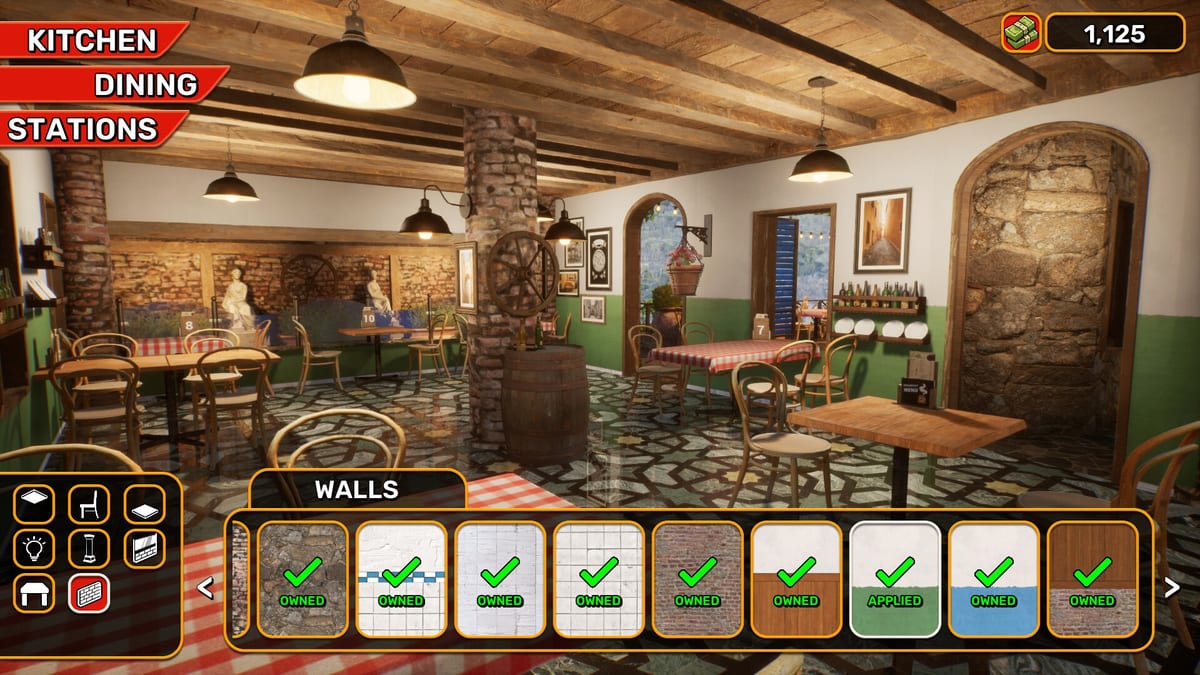
Pizza House Simulator ships as a Windows Steam title with published desktop specs, and players already take it onto Steam Deck. The game can run. The default stick-as-cursor habits often do not. This page is the handheld checklist: controls, performance bands, hosting rules, and when to stay on a PC. Pair with system requirements for the official min/rec numbers and troubleshooting for boot failures. Full keyboard maps live on Controls.
Expectation setting after launch week
Quiet lunch on low settings can feel near sixty frames. A packed dining room, overlays, and six-player chaos will not. Community reports around launch clustered in bands: calm service near 60, busy kitchens in the forties, late-game rooms and heavy co-op closer to the mid-thirties. Treat those as planning numbers, not a warranty. If your Deck thermal-throttles, the oven will feel “slow” when the GPU is the real bottleneck.
Patch 1.005 also listed transparent outdoor ground on some Windows and Deck/Linux machines as a known issue. If the plaza looks like a hole to the sea, update and verify files before rebuilding the terrace—see patch 1.005.
Controls that actually work on a pizza line
Menus and tiny ingredient grabs are mouse-native. Use the right trackpad as the mouse. Analog stick cursor works; it is worse for basil leaves, shrimp, and sauce edges. Map rear grips if your layout allows:
- L4 — order tablet
- L5 — inventory or secondary menu
- R4 — repair tool
- R5 — your most-repeated kitchen confirm
Prefer Toggle over Hold for pour and spread actions during long sessions. Steam + X opens the on-screen keyboard for restaurant names, stock ticks, and lobby fields. Deeper bind notes: Controls.
Settings that buy stability
- Cap FPS (40 or 60) so frame time stays honest.
- Drop shadows and crowded crowd density first when dinner stutters.
- Keep UI scale readable; misclicking a topping is a burnt pie.
- Limit TDP only after you confirm the kitchen still responds—starving the APU mid-rush feels like lag, not thrift.
- Close heavy overlays if you already stream from the Deck.
Hosting: almost always a bad idea
Online co-op supports up to six. The Deck as client is fine for many groups. The Deck as host of a late-game restaurant plus five friends is how you get desync complaints and thirty-something frames. Let a desktop host; join with the handheld. Lobby steps stay on Co-op Multiplayer and jobs on the role planner.
Solo Deck shifts
Solo is the Deck’s best mode. Escape pause still matters—know that a Steam invite can lift pause when a friend joins. Batch dough before peaks. Lean on assistants and automation so your thumbs are not every verb—Kitchen Automation. Calendar spikes still apply: read Calendar Events before a festival lunch on the couch.
When to put the Deck down
- You are the designated repair/disaster owner in a sweaty six-stack.
- You need precise stock-market clicks every minute.
- Transparent ground or UI scale makes the terrace unreadable.
- Battery is already begging and dinner just started.
Buy and refund rules remain on Steam. This wiki is unofficial. Store links: Links Hub. First-hour kitchen: Getting Started. Sides bay: Fryer Line and Sides. Parent: Tools Hub.
The embedded demo session is kitchen footage—useful for seeing hand speed on the line. Match that energy with a trackpad, not a lazy stick cursor.
Frequently Asked Questions
Quick answers drawn from the kitchen loop, co-op lobbies, and economy systems.
Is Pizza House Simulator verified on Steam Deck?
Treat Deck play as community-supported on a Windows Steam build. Check Proton/SteamOS notes on your device and keep the game updated.
Should I host co-op from the Deck?
Prefer a PC host. Use the Deck as a client unless the lobby is tiny and the restaurant is early.
Why does the fryer feel harder on Deck?
Small targets plus stick cursor. Switch to trackpad mouse and map grips before you blame the fryer tier.